

Vai al contenuto
View in the app

A better way to browse. Learn more.

Smart Club Italia - Smartisti Per Passione

A full-screen app on your home screen with push notifications, badges and more.

To install this app on iOS and iPadOS
  1. Tap the Share icon in Safari
  2. Scroll the menu and tap Add to Home Screen.
  3. Tap Add in the top-right corner.
To install this app on Android
  1. Tap the 3-dot menu (⋮) in the top-right corner of the browser.
  2. Tap Add to Home screen or Install app.
  3. Confirm by tapping Install.

Buooongiorno!

Featured Replies

Inviato

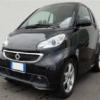
Ciao a tutti!! Mi presento, sono Andrea e vengo da Pisa. Ho appena acquistato una Smart ForTwo Pulse 451 71cv mhd nera usata con 5000 km di aprile 2013 con: interno misto pelle, volante a tre razze e navigatore smart. Non è ancora arrivata perché è lontana da casa e posso andarla a ritirare la prossima settimana. Sono ansioso di averla sotto mano. Ho già in mente due o tre lavoretti da fare... e ho bisogno del vostro aiuto!!!

Grazie a tutti quelli che mi aiuteranno.

Inviato

Benvenutoooo :)


VR|46 SIC 58 ❤ Inviato da mio iPhone usando Tapatalk

Inviato
  • Autore

ciao! un altro pisano bene!

Allora se avrò bisogno di montare gli xenon ti contatto!!!

Inviato

il maestro dell'elettronica è vale451!:-) io se vuoi ti posso aiutare su altre cose tipo le plastiche interne ecc

Inviato
  • Autore

il maestro dell'elettronica è vale451!:-) io se vuoi ti posso aiutare su altre cose tipo le plastiche interne ecc

Ne terrò di conto!!!  ;)

Inviato

Ohoho mi fischiano le orecchie !!! Un altro pisano, ottimo !!! Ciao e benvenuto !!!


Per gli xeno in mezz'ora sono montati :-)


Inviato da mio iPhone 4s usando Tapatalk 2

Ospite
Questa discussione è chiusa.

Account

Navigation

Cerca

Cerca

Configure browser push notifications

Chrome (Android)
  1. Tap the lock icon next to the address bar.
  2. Tap Permissions → Notifications.
  3. Adjust your preference.
Chrome (Desktop)
  1. Click the padlock icon in the address bar.
  2. Select Site settings.
  3. Find Notifications and adjust your preference.